Knowledge Flow
Index approved sermons and church documents, then ask with citations from the same corpus.
Knowledge Flow is the church library beside Sermon Flow. Approved transcripts land in the Hub. You can upload PDF, Markdown, or text. Ask Kairos answers from those sources and shows where it read.
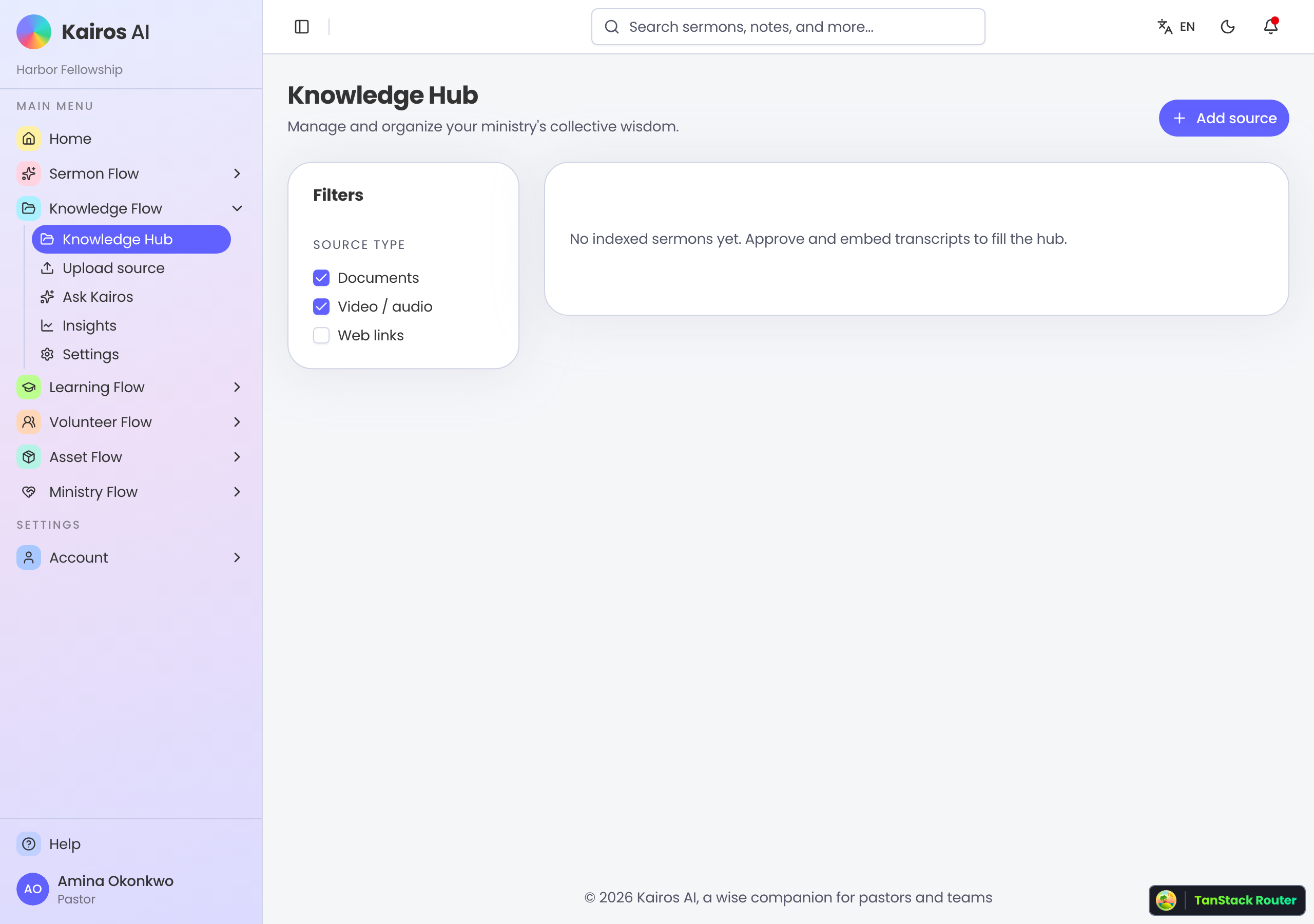
Knowledge Hub
Open Knowledge Flow for the Hub. Filter documents and sermon video. Ready sources show passage counts. Empty Hub usually means no approved, embedded sermon transcripts yet — finish Sermon Flow first, or upload a document.
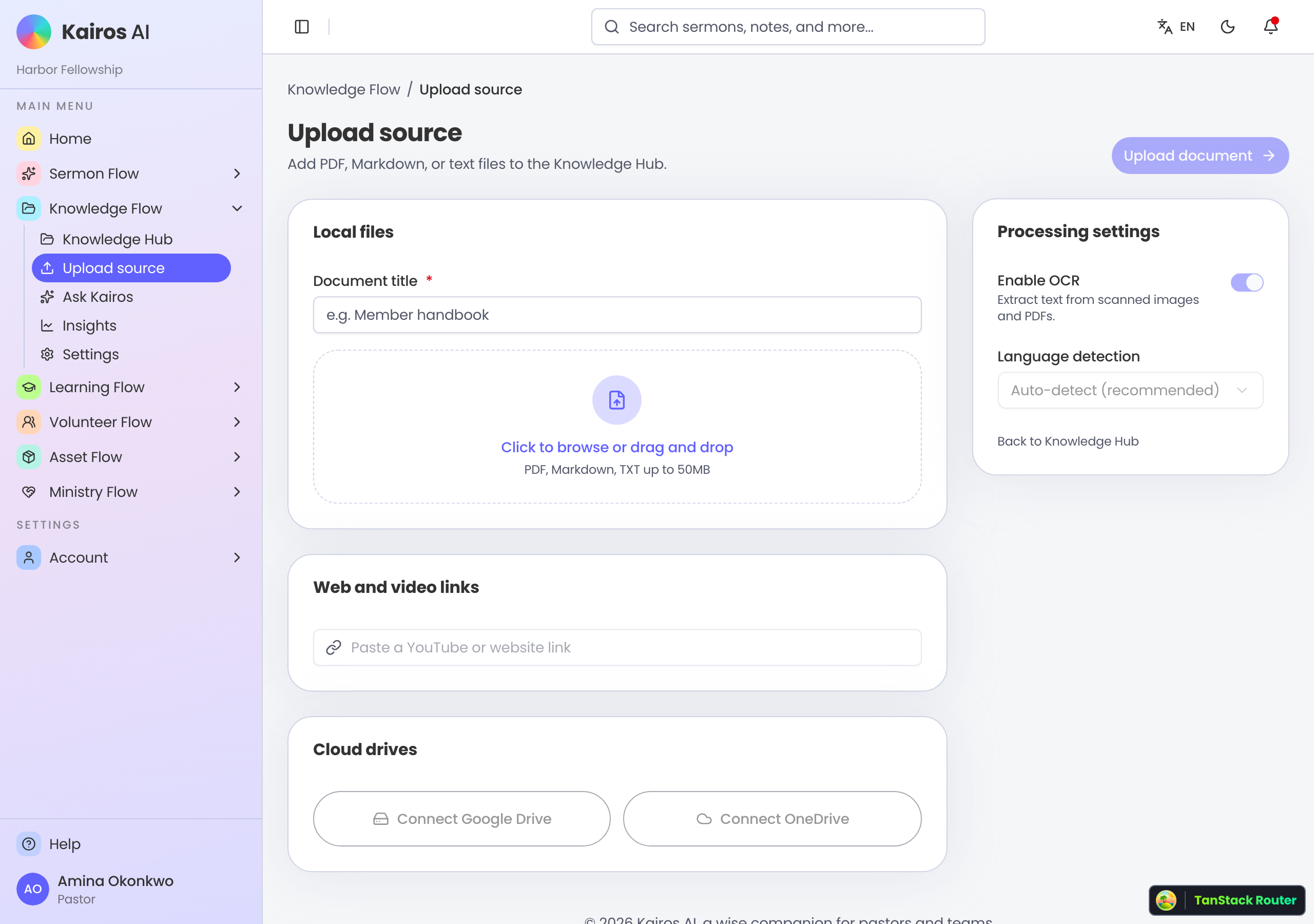
Upload a document
Upload accepts PDF, Markdown, and plain text up to 50MB. Give the document a title, choose OCR and language if you need them, then upload. Web-link and cloud-drive buttons on that page are not the live path yet — use a file.
Open a source
A source page shows title, status, passage preview, and for sermons the video when available. You can rename, download the original file when it is a document, or queue process / reprocess. Trust the Ready badge before you lean on Ask Kairos.
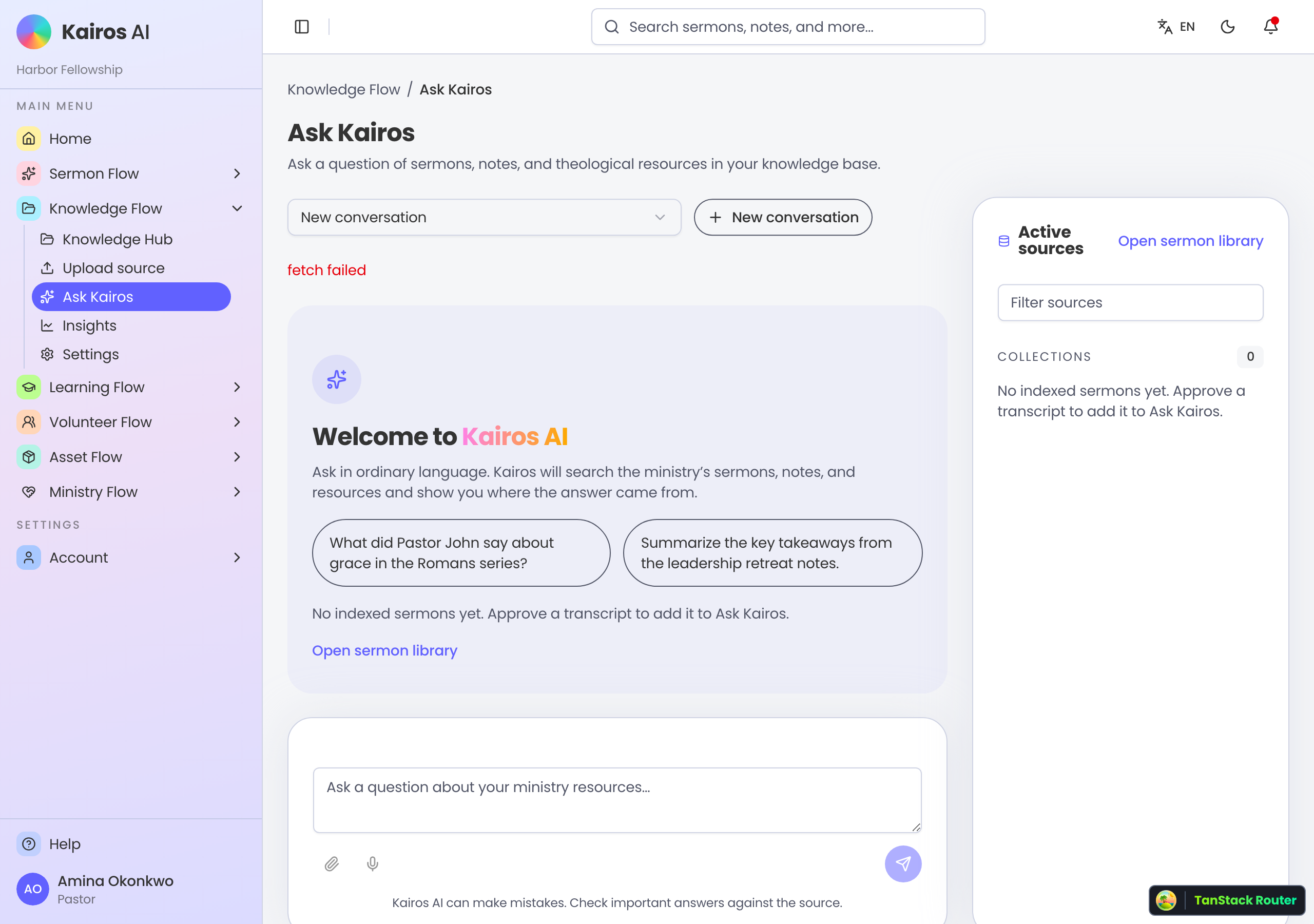
Ask Kairos
Ask Kairos searches indexed sermons and documents. Start a conversation, filter which sources are active, and read citations on the reply. Copy, export Markdown or PDF, and mark helpful or not. Check important answers against the cited source.
Insights
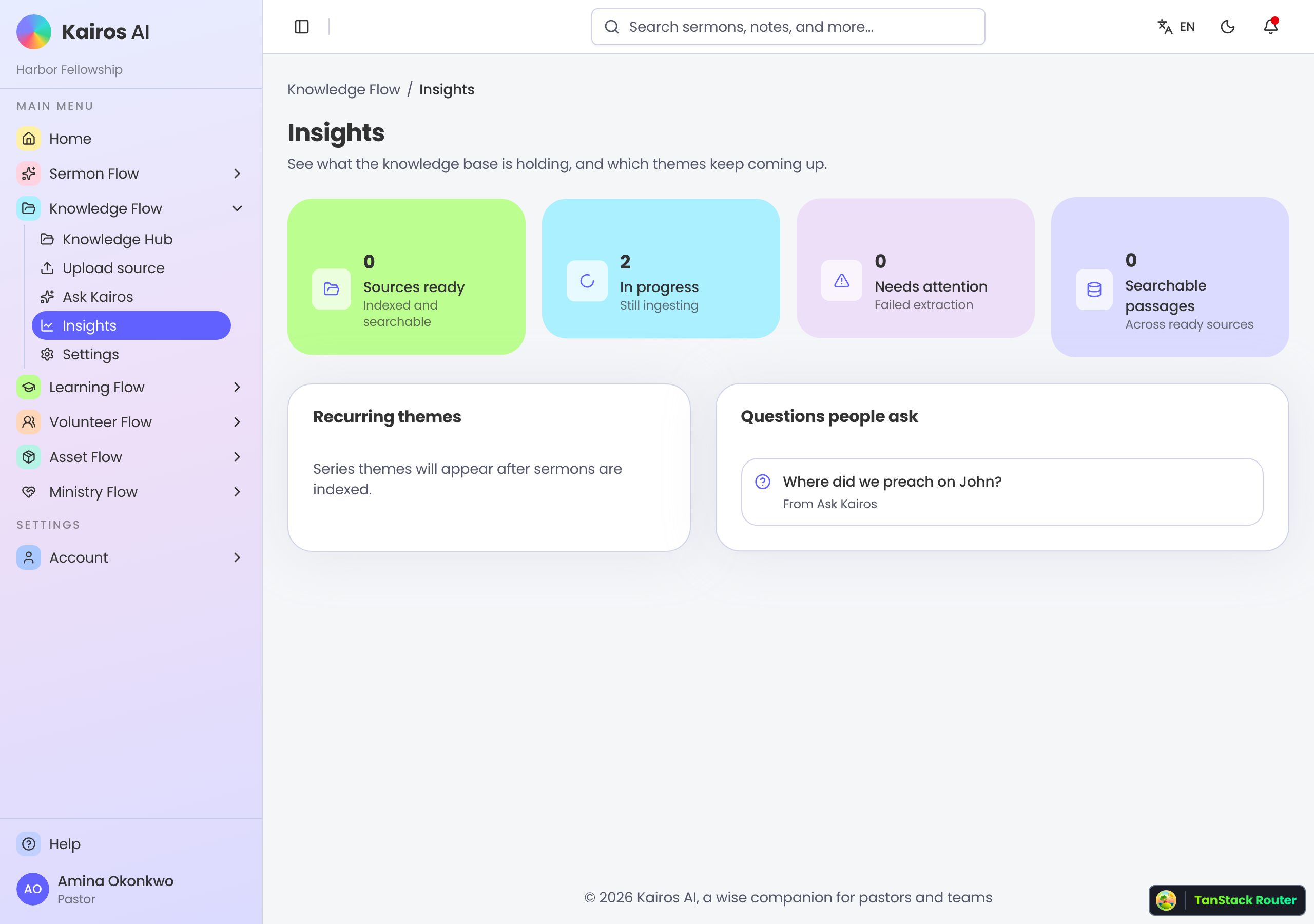
Insights summarizes Ready, Processing, Needs attention, and searchable passages. Themes and frequent questions help pastors see what the library already holds and what people ask.
Library path
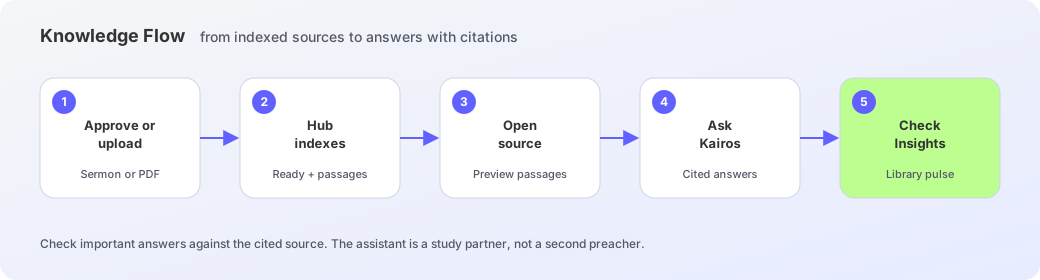
- 1
Approve a sermon or upload a file
Embed an approved Sermon Flow transcript, or upload PDF, Markdown, or text from Upload source.
- 2
Confirm it in the Hub
Filter by type, open the card, and wait for Ready with a passage count.
- 3
Review the source
Read passage previews, fix the title if needed, reprocess when status is wrong.
- 4
Ask with citations
Open Ask Kairos, choose sources, and verify the reply against the cited lines.
- 5
Check Insights
Watch Ready vs Processing and themes so the library stays healthy.